
by Ali Rind, Last updated: June 24, 2026
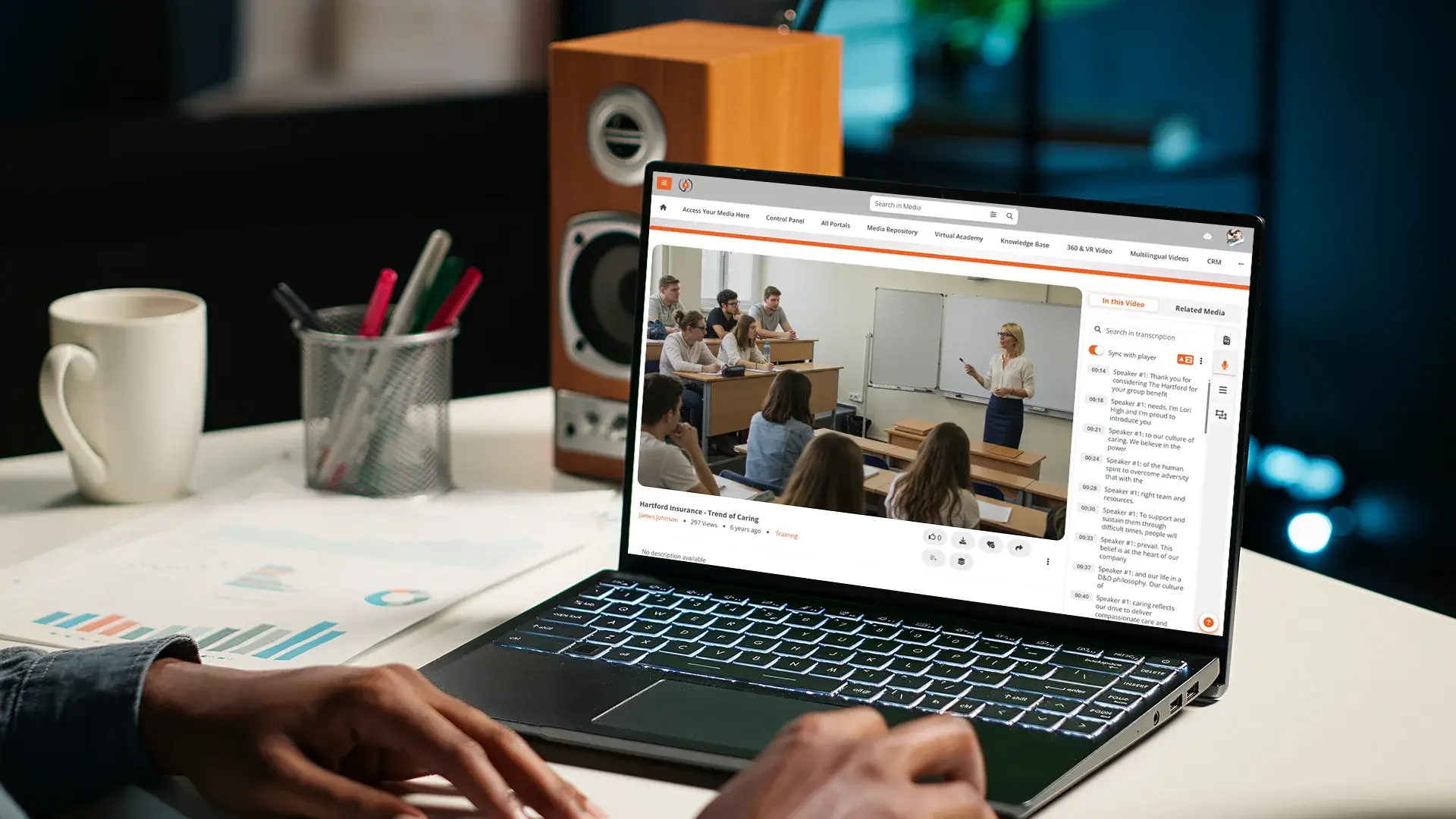
Accessible video in education is a legal duty, an equity commitment, and a learning-design decision. Captioned video benefits Deaf and hard-of-hearing students, but it also benefits students watching in noisy environments, non-native speakers, and learners with attention or processing differences. Transcripts benefit screen-reader users, but they also become study artifacts every student can search. Building accessibility in from the start serves a broader audience than the regulatory minimum suggests.
The institutional buyer evaluating a video platform on accessibility needs to understand four elements working together. This guide covers what they are, what the standards require, and how to do this at scale across a course library where per-video manual work does not survive contact with reality. For the broader enterprise framing on accessibility, see our enterprise video captioning and accessibility guide.
Why accessibility is a legal and equity duty in education
The legal duty is jurisdiction-specific. In the United States, Section 508 applies to federal funds recipients and shapes the accessibility expectations institutions inherit from federal grant programs. The ADA Title II covers public schools and universities. State-level regulations often add to the federal baseline. In the EU, EN 301 549 sets the standard for public-sector digital accessibility. Hong Kong's accessibility expectations for publicly funded bodies follow international web accessibility guidelines and add institutional policy on top.
The common thread across jurisdictions is WCAG 2.2 AA as the working standard for digital content, including video. A platform that does not support WCAG 2.2 AA cannot meet most education accessibility requirements in 2026.
The equity duty is broader than the legal one. Students with disabilities are not the only beneficiaries of accessible video. Captions improve comprehension for students learning in their second language. Transcripts enable searchable study. Audio description benefits students learning visual-heavy material in any environment where screen attention is limited. Building accessibility in from the start produces better learning outcomes for the whole student body, not just for compliance.
The assessment dimension matters too. If accessible accommodations are available only on request, the burden falls on the student to disclose and ask. Universal design (accessibility built in) shifts that burden away from students and onto the platform and the institution. That shift is one of the strongest cases for the universal-design approach, and it tends to also reduce the per-incident accommodation workload disability services teams carry.
The four elements: captions, transcripts, audio description, a conformant player
Accessible video requires four elements working together. None of the four is sufficient alone.
Closed captions
Synchronized text of spoken content plus meaningful non-speech audio cues (laughter, music, alarms). For pre-recorded video, WCAG 2.2 AA requires captions. Auto-generated captions can be a starting point, but accuracy below roughly 95% creates more confusion than they resolve, and high-stakes content needs human review. For the distinction between captions and subtitles, which matters once content crosses languages, see our guide to closed captions vs subtitles.
Transcripts
The full text version of the audio, not synchronized to the timeline. Transcripts support screen-reader users who navigate text rather than video. They also serve as searchable study artifacts every student can use. WCAG 2.2 AA may require a transcript depending on content type and the success criteria being applied.
Audio description
Narration of visually meaningful action for blind and low-vision viewers. When a lecturer points to a chart that drives the next five minutes of discussion, audio description narrates what the chart shows. For lecture content where visuals carry information not conveyed by the soundtrack, audio description support is part of the accessibility model. For accessibility specific to recorded classes, see our guide to lecture capture for education.
A conformant player and platform
Captions and transcripts are useless if the player itself cannot be operated by keyboard, is not readable by screen readers, does not handle high contrast, or does not let users adjust caption appearance. The platform around the player also needs to be accessible: upload, navigation, and search for content authors and library administrators, not just viewers.
Doing it at scale without per-video manual work
Per-video manual captioning workflows do not scale to a course library with thousands of recordings, which is the broader management challenge our enterprise video content management guide covers. Five capabilities turn accessibility from a per-video bottleneck into a library-wide posture.
AI transcription at upload generates the first-pass caption file automatically. Languages with strong AI accuracy (English, Spanish, French, German, Italian) reach 95% accuracy on clear narrator-led content. Other languages require more review. Either way, the starting point is automatic. The same transcript that generates captions also powers search across the video library, so the accessibility work and the discoverability work come from one process.
Editable captions inside the platform mean a reviewer can fix the 5% that matters (technical terms, proper nouns, formula notation) without exporting the file, editing it externally, and re-uploading. Corrections persist for that recording and apply to every learner who opens it afterward.
Bulk captioning for legacy content lets institutions queue every existing recording in the library for AI captioning automatically. This is the practical answer to the question of how to caption a library that accumulated for years without accessibility built in.
Transcript export in standard formats (VTT, SRT, plain text) enables institutional workflows that move text into LMS modules, document repositories, or external accessibility services that handle final review.
Audit logging captures who corrected what captions when. For accessibility compliance reporting and continuous improvement, this audit trail is the institutional record.
Standards that apply
WCAG 2.2 AA is the working baseline. The relevant success criteria for video include captions for pre-recorded audio, audio description or media alternative, captions for live audio in many cases, and the broader operability and perceivability criteria that govern the player itself.
Section 508 in the United States closely tracks WCAG 2.2 AA for digital content, with some federal-specific procurement language layered on top. Federal funds recipients including most public institutions inherit Section 508 expectations through grant terms and state law.
EN 301 549 is the European Union standard for public-sector digital accessibility, applicable to public-sector institutions across EU member states. It also tracks WCAG 2.2 AA with some additional procurement-focused requirements.
The common thread: WCAG 2.2 AA is the floor across all of these jurisdictions. Institutional procurement that confirms WCAG 2.2 AA conformance handles the substantive accessibility question in most regulatory contexts. Documentation of conformance (a VPAT or equivalent) is the artifact procurement and disability services need to see.
How EnterpriseTube handles accessibility for education
EnterpriseTube's media accessibility features support Section 508 and WCAG 2.2 AA conformance. Screen reader compatibility covers JAWS, NVDA, VoiceOver, Narrator, ZoomText, and Dragon. The player is keyboard-operable, supports Windows High Contrast Mode, and lets viewers adjust caption size, color, font, and position. Picture-in-picture overlay supports ASL interpretation alongside the main video.
Auto-captioning runs at upload across 82 supported languages with published Word Error Rates per language. Captions are editable in-platform; corrections persist for that recording for every learner who opens it afterward. Bulk captioning across the legacy library is configurable, so institutions can queue existing content for AI processing without manual file-by-file work. Transcripts are downloadable in VTT, SRT, and plain text formats.
Audio description support for content where visual elements carry information not conveyed by the soundtrack is included in the accessibility feature set. Caption file upload supports standard formats (TXT, SRT, VTT) for content where human-produced captions are required from the start.
FERPA-supportive controls handle the educational-records side of the accessibility data. Multi-year audit logging captures caption corrections, viewer activity, and accessibility-related actions for institutional reporting.
For institutional procurement that requires accessibility documentation including a current VPAT or equivalent conformance statement, contact the VIDIZMO team directly for the latest version applicable to your deployment.
To see how the platform handles your institution's accessibility requirements in practice, start a free EnterpriseTube trial or contact our team.

About the Author

Jump to
-2.png)
Video Captioning and Accessibility for Enterprise
Video Content Accessibility for Law Firms


No Comments Yet
Let us know what you think