
Enterprise Video Platform for Legal Teams
Secure, governed video hub for depositions, client updates, internal training, and board communications across firms and legal departments.



Privileged Video is Hard to Govern
Deposition recordings, client briefings, and board meetings often contain privileged information that must be tightly controlled, tracked, and retained.

Matter Content is Scattered
Recordings live across meeting tools, drives, and email, making it difficult to keep matter-related video organized, discoverable, and aligned to legal holds.

Cloud-Only Video Doesn’t Fit Firm Risk
Many legal teams are being pushed toward SaaS-only video platforms, even when their risk profile, client obligations, or data residency requirements demand on-premises or hybrid control.

Confidential Video Control
Centralize privileged video in a governed platform that supports confidentiality obligations, with encryption, SSO, granular roles, and audit-ready activity logs — whether you deploy in the cloud, on-premises, or hybrid, without being forced into SaaS.

Matter-Based Governance
Group videos by client and matter, apply retention and access policies, and align with legal hold workflows so case-critical video is controlled from day one.

AI-Powered Case Insight
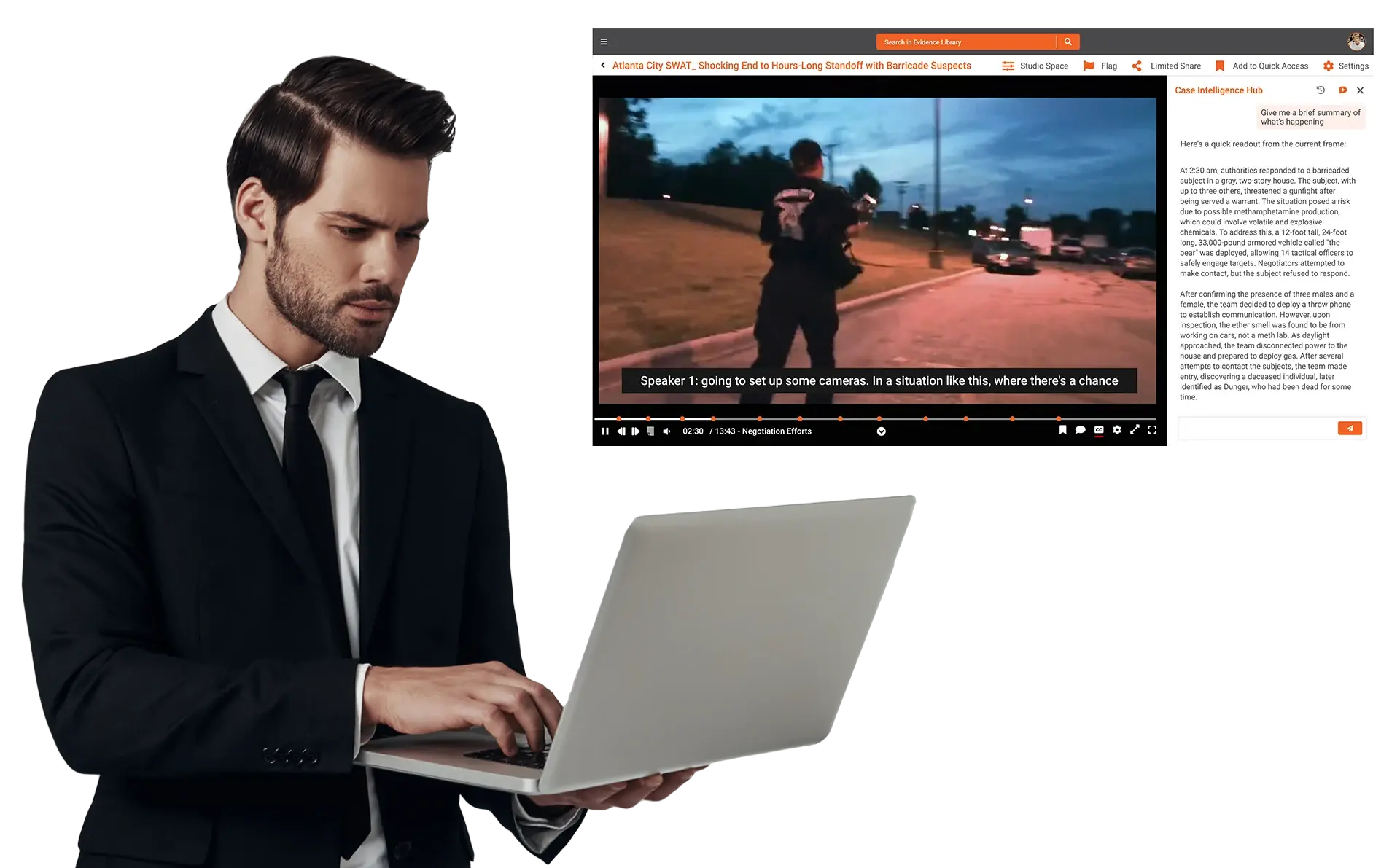
Use AI transcription, translation, chapters, summaries, and semantic search to jump to key testimony and arguments in seconds instead of scrubbing long recordings.
Make Deposition Recordings Instantly Searchable
Bring deposition video and testimony into a single, governed hub. Let case teams jump to key answers, share securely with co-counsel, and prepare arguments faster.
- Upload deposition recordings directly from meeting tools or storage.
- Use AI transcripts, chapters, and semantic search to find key statements.
- Control access by matter, client, practice group, or outside counsel.

Deliver Sensitive Updates Without Losing Control
Share settlement overviews, strategy briefings, and board updates as secure video, not email attachments. Keep a clear record of who watched what and when.- Publish briefings in private, invite-only portals or channels.
- Use view-only sharing, expiring links, and watermarking on high-risk content.
- Track engagement and access history for key stakeholders.
Standardize Firm-Wide Legal Training
Build a modern learning hub for associates, partners, and staff. Reuse recorded CLEs, playbooks, and best-practice sessions without compromising confidentiality.- Host CLEs, playbooks, and onboarding in one governed library.
- Segment access by role, office, practice group, or seniority.
- Measure adoption and completion with enterprise analytics.

Control Investigation and Discovery Recordings
Manage interviews, surveillance footage, and other sensitive recordings with consistent governance so they align with investigation protocols and discovery obligations.- Store sensitive investigation video in controlled, auditable workspaces.
- Apply retention, holds, and access policies consistently across matters.
- Search across transcripts to locate relevant moments quickly.


Granular Access Control
Limit access to privileged video by client, matter, practice group, role, or office with fine-grained permissions.

Limited Sharing Safeguards
Reduce leakage risk using view-only playback, expiring links, watermarking, and secure external portals.

Audit-Ready Visibility
Track every view, share, download, and admin action for defensible governance and compliance reporting.

Matter-Aware Organization
Group video assets by client and matter so recordings map neatly to case teams, workspaces, and holds.

AI Discovery & Automation
Quickly surface key testimony, issues, and clauses with AI transcripts, summaries, chapters, and semantic search.

Lifecycle & Retention Controls
Apply approvals, versioning, holds, and retention rules so video follows firm policies and regulatory expectations.

Cloud
Fully managed deployment for firms that prefer a secure cloud environment.

SaaS
Always current, low-IT-overhead option with rapid rollout across offices.

On premises
Deploy inside your environment to align with strict data residency needs and clients that expect privileged content to stay on your own infrastructure.

Hybrid
Combine on-prem control with cloud scale for multi-region operations.
Frequently Asked Questions
AI features like automatic transcription, translation, chapters, summaries, and semantic search make it easy to find specific testimony, topics, and risk indicators in long recordings, helping case teams prepare, collaborate, and respond more quickly.
