
by Ali Rind, Last updated: June 23, 2026

Lecture capture is the institutional workflow of recording, processing, and publishing instructional video so students can review at their own pace. It is not a new idea. What has changed since the early systems is that the capture hardware is now the easy part, and the harder questions are governance: where the recording lives, who can search it, how it integrates with the LMS, what the platform does about accessibility, and how the institution proves compliance with student-data regulations.
This guide is for the institution evaluating lecture capture from the governance side. The camera and microphone choices matter, but they are not what separates platforms at the enterprise tier. For the broader context of how this fits into an enterprise video program, see our guide to enterprise video content management.
What lecture capture is and the student-behavior tradeoffs to design for
Lecture capture means recording a class session (live or scheduled), processing the recording (transcoding, transcription, chaptering), and publishing it where students can find and watch it. The student-facing experience is what determines whether the investment pays off.
Two student-behavior tradeoffs come up consistently.
Live attendance tends to drop modestly when recordings are routinely available, particularly in large lecture courses. The compensation is that students who attend tend to engage more, and students who would have missed the lecture entirely now have access. The net effect on learning outcomes is mixed in the literature and depends heavily on course design. Institutions that frame recordings as a supplement to attendance, not a replacement, tend to see better outcomes than institutions that publish recordings without context.
Search behavior matters more than playback behavior. Students rarely watch a 50-minute recording from start to finish. They search for a specific topic, watch the relevant chapter, and move on. The platform's search and chaptering capabilities determine whether a recording becomes a study resource or a forgotten file. This is the single most impactful design decision after capture itself.
Plan the publishing experience as a study tool, not as a passive archive.
Capture and ingestion: scheduled or live recording, automatic publish
Capture can happen two ways. Scheduled recording uses room hardware (PTZ cameras, ceiling microphones, dedicated capture appliances) to record at a predetermined time, processing the recording after the session ends. Live streaming uses an encoder pushing to a streaming platform, with the live broadcast happening in real time and the recording captured in parallel for on-demand publishing. For the mechanics of that live pipeline, see our guide to how live streaming works.
Most institutions use both: scheduled recording for regular course sessions, live streaming for events and large-format lectures. The platform should support both ingest models without requiring separate products.
Persistent stream links matter for recurring sessions. A course meeting in the same room every Tuesday at 10am should use the same stream link week after week. The platform should handle this without reconfiguration between sessions, and the recordings from each session should land in the same course library automatically.
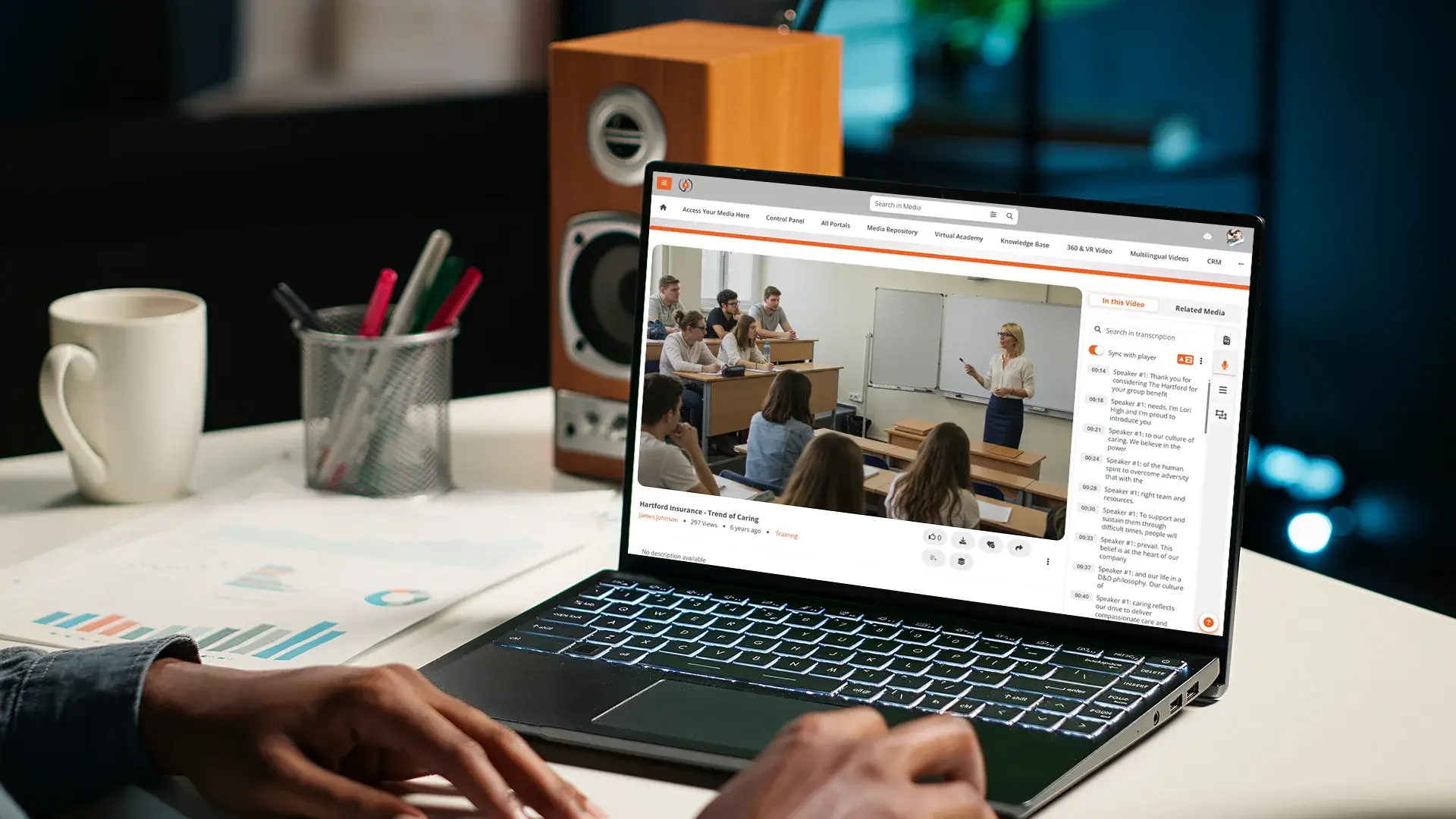
Automatic publish to the portal as on-demand happens when the live event ends or the scheduled recording finishes. AI transcription, chaptering, summarization, and indexing run on the recording so the on-demand replay is searchable within minutes of the session ending. Students who missed the live class can find specific moments without scrubbing.
LMS handoff via LTI and grade passback
The lecture lives in the video platform. The course lives in the LMS. The handoff between them runs through LTI 1.3 or LTI Advantage.
LTI Advantage adds three capabilities most institutions need. Names and Roles Provisioning means the video platform knows which students are enrolled in which course without manual user management. Assignment and Grade Services means in-video quizzes and assessment scores flow back into the LMS gradebook automatically. Deep Linking means instructors can embed specific lectures or chapters directly into LMS modules without copy-pasting links.
Without LTI Advantage, the LMS handoff devolves into manual workflows. Faculty paste video URLs into discussion forums. Students click out of the LMS to watch. Quiz scores require manual transfer. Each manual step is a place adoption stalls.
Pre-built integration with Canvas, Moodle, D2L Brightspace, and Blackboard handles most institutional deployments. SCORM 1.2 and 2004 support handles the course-package interoperability when content needs to move between systems. For how a video layer complements rather than replaces the LMS, see our guide to choosing learning management system software.
Search inside the lecture: transcript, on-screen text, speakers, chapters
Search is what makes lecture capture useful. The platform should index the recording at four levels.
Transcripts of spoken content, generated by AI at upload, mean every word the instructor said is searchable. A student typing a concept name lands on the exact moment in the lecture where it was discussed.
OCR of on-screen text picks up slides, whiteboards, and screen-share content. Students searching for a specific term in the lecture's slides find the segment without watching the recording first.
Speaker diarization identifies who is speaking, which matters in seminar formats where multiple people contribute. Search results can filter by speaker.
Automatic chaptering breaks long recordings into navigable topic segments. A 50-minute lecture becomes 6-8 chapters with titles, and students can click directly into the chapter they need.
All four signals together turn a recording from a single long file into a queryable knowledge base. The student experience changes from "play and hope" to "search and watch the relevant 90 seconds."
For deeper coverage of the search workflow, see our post on in-video search for enterprise training.
Per-student viewing analytics and what to do with them
The platform should capture per-student data: who watched, when, for how long, which segments, where they dropped off, where they rewatched. Aggregate this across a course and you get a picture of which lectures actually got studied and which sections of each lecture were confusing or memorable.
What to do with the analytics matters more than what is technically possible.
For instructional design, drop-off points and rewatch hotspots show where a lecture's pacing or explanation needs work. Segments students rewatched repeatedly often signal confusion, not engagement. Our guide to video engagement analytics breaks down how to read these signals.
For early intervention, students who do not engage with recordings often correlate with students at risk academically. The signal is imperfect, but combined with LMS data it can inform outreach from advising or course staff.
For institutional research, aggregate data informs whether lecture capture is achieving its goals across departments and program types. The longitudinal data is more useful than any single semester's snapshot.
For privacy, the analytics need to be governed: who can see per-student data, who can see only aggregates, how long the data is retained, and what notice students receive at enrolment. Institutional privacy offices should be involved in analytics policy from the start, not consulted after the fact.
Accessibility and access control
Accessibility for lecture capture means captions on every recording, transcripts for screen-reader users, audio description support for content where visual elements carry meaning the soundtrack does not, and a player that meets WCAG 2.2 AA. Auto-captioning generates the first pass; human review handles the corrections that matter (technical terminology, proper nouns, formula notation). For the deeper view of how captioning and player conformance work, see our enterprise video captioning and accessibility guide.
Access control for lecture recordings runs through SSO integration with the institutional identity provider, with course-level access tied to LMS enrolment via LTI. Students enrolled in the course see the lectures; students who are not, do not. Faculty contributors can be granted broader access for cross-course content.
For institutions that need to keep recordings on institutional infrastructure rather than vendor cloud, on-premises and hybrid deployment options exist. The choice is usually driven by institutional policy, regulatory requirements, or contractual obligations to research sponsors.
How EnterpriseTube handles lecture capture
EnterpriseTube records a class the moment it starts streaming and saves it automatically for students to watch later, with no manual upload step. A room that meets at the same time every week keeps the same recording link, so staff set it up once and every session lands in the right course library on its own. As soon as a session ends, the platform transcribes the audio, breaks the recording into labelled chapters, writes a short summary, reads any text shown on screen, and notes who is speaking, so the replay is searchable within minutes.
Recordings connect straight into the systems schools already use, so students open a lecture from inside Canvas, Moodle, Brightspace, or Blackboard, the platform knows who is enrolled in each course, and any in-video quiz scores flow back into the gradebook on their own. Instructors can drop a specific lecture or chapter into a course module without copying links around. For each student, staff can see how long they watched, whether they finished, and which parts they replayed or skipped, with reports they can export for review.
The player is built for students with disabilities: it works with screen readers, runs fully by keyboard, lets viewers change how captions look, supports high-contrast viewing, and can show a sign-language interpreter alongside the video. Auto-generated captions can be corrected in the platform, and the fix shows for everyone watching that recording. Schools can run it as a managed service, on their own servers, or a mix of both, keep it in a specific country where rules require it, and rely on student-record controls and long-term access logs that procurement teams expect.
To see how this works for your institution, start a free EnterpriseTube trial or contact our team.

About the Author

Jump to
Video-on-Demand for Education: The Capability Checklist for Schools
Accessible Video for Education: Captions, Transcripts, WCAG Compliance

No Comments Yet
Let us know what you think