
by Ali Rind, Last updated: April 14, 2026
Your safety training video is thorough, well-produced, and explains every procedure clearly. It is also in English. Forty percent of your frontline workforce speaks Spanish as a first language. Another fifteen percent speaks Portuguese. They watch the training, nod along, and miss critical details because comprehension drops significantly when material is delivered in a second language.
This is not an edge case. Industries like construction, manufacturing, healthcare, logistics, and telecom employ large multilingual workforces. When all training content exists only in English, the gap between "training was delivered" and "training was understood" widens.
This guide covers how to turn a single English training video into a multilingual training library using AI-powered transcription and translation, without re-recording anything.
The Problem: English-Only Training in a Multilingual Workforce
The consequences of single-language training go beyond employee frustration.
- Comprehension gaps. Employees who are not fully proficient in English may understand the general topic of a training video but miss specific procedures, safety warnings, or compliance requirements.
- Safety risk. In industries where training covers hazardous materials handling, equipment operation, or emergency procedures, partial comprehension can lead to workplace injuries. Understanding 80% of a safety protocol is not good enough.
- Compliance exposure. If a regulator asks for proof that employees understood their training (not just that they were exposed to it), English-only training for non-English speakers is a weak position. Quiz pass rates often reveal the gap.
- Disengaged non-English speakers. When employees consistently receive training they cannot fully understand, engagement drops. They check the box but do not internalize the content. Over time, this erodes the credibility of the entire training program.
The standard response has been to either ignore the problem or throw resources at it. Neither works at scale.
Why Re-Recording in Multiple Languages Does Not Scale
The intuitive solution, re-recording every training video in every language your workforce speaks, falls apart quickly.
- Cost. Professional video production for a single 15-minute training module can run thousands of dollars. Multiply that by five or six languages and the budget balloons.
- Time. Finding native-speaking presenters, scripting, recording, editing, and reviewing each language version turns a one-week production cycle into a multi-month project.
- Version control. When the English source video is updated due to new regulations, changed procedures, or updated equipment, every language version needs to be re-recorded. Most organizations fall behind, and outdated translated versions circulate alongside the current English one.
- Presenter availability. For specialized training covering medical procedures, engineering processes, or legal compliance, finding a subject matter expert who is also fluent in each target language is often impossible.
Re-recording is viable for one or two high-priority videos in one or two languages. It does not work as a strategy for an entire training library. For a broader look at how enterprise video infrastructure supports L&D programs end to end, the video-based workforce training guide covers the full picture.
The Modern Approach: AI-Powered Transcription and Translation
AI-powered translation takes a fundamentally different approach. Instead of re-creating the video, it adds multilingual captions to the existing one.
The source video stays the same. The presenter's voice, visuals, and demonstrations remain unchanged. What changes is the text layer: AI generates accurate captions in the viewer's preferred language, so they can watch the original video while reading in their native language.
This approach works because the visual elements of training, including demonstrations, screen recordings, diagrams, and equipment operation, carry meaning regardless of language. The spoken narration is the only component that needs translation, and captions handle that.
To understand how this fits into a broader AI-powered video strategy, see how AI is transforming enterprise video content management across organizations.
How It Works Step by Step
The process from a single English training video to a multilingual resource follows a straightforward pipeline.
- Upload the English video. The source video is uploaded to the platform in its original format. No special preparation is needed.
- AI transcribes the audio. Speech-to-text AI processes the English audio and generates a time-stamped transcript. This transcript is editable, so trainers can correct any misrecognized words before translation.
- AI translates the transcript. The English transcript is automatically translated into selected target languages. Each translation maintains the original time stamps, so captions stay synchronized with the video.
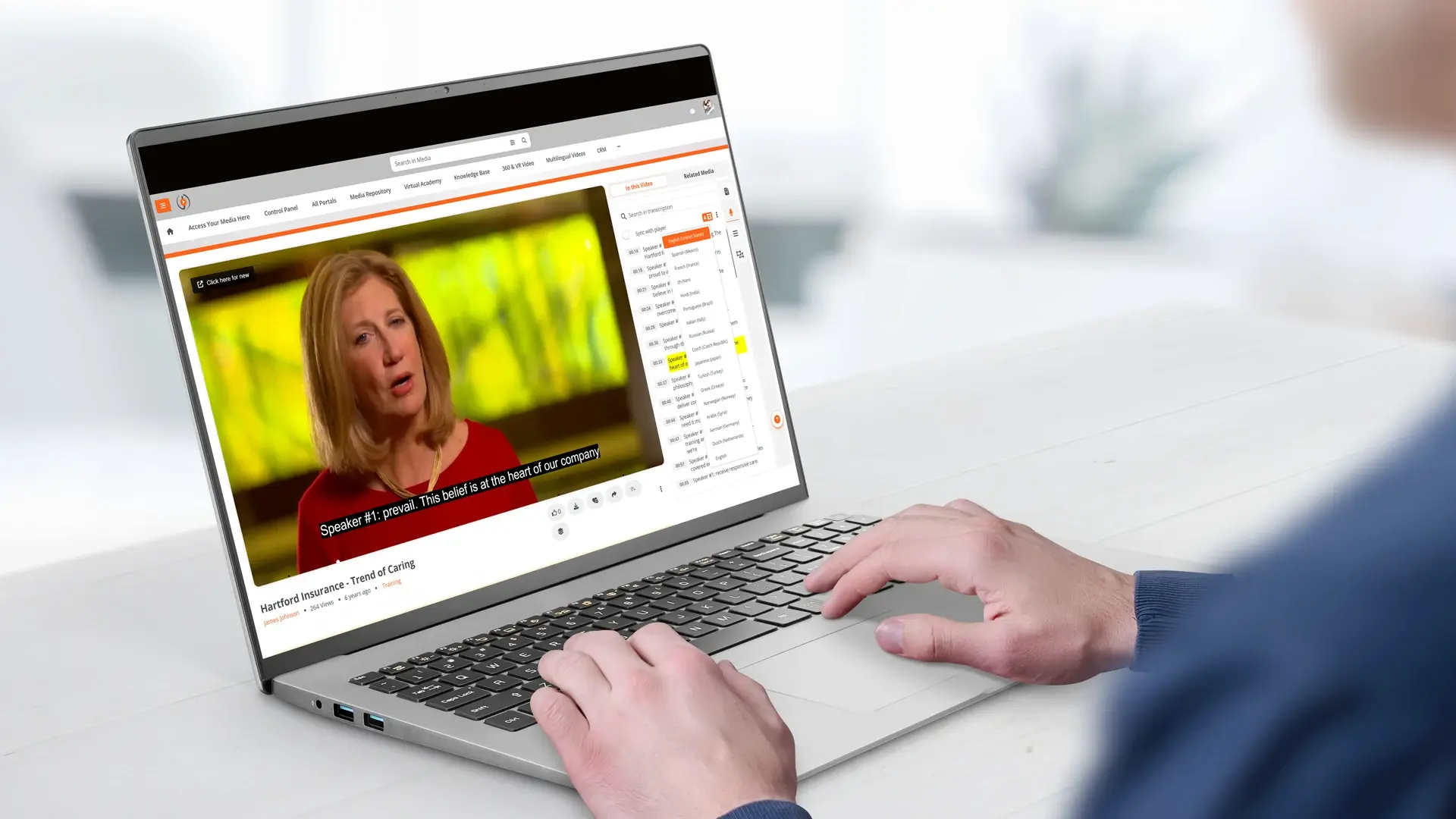
- Multilingual closed captions are generated. The translated transcripts become closed caption tracks attached to the video. Each language is a selectable option in the video player.
- Viewer selects their language. When an employee opens the training video, they select their preferred caption language from the player controls. The video plays in English with captions displayed in Spanish, Portuguese, French, Mandarin, or whichever language they choose.
The entire process, from upload to multilingual availability, runs automatically. No manual translation, no re-recording, no separate video files per language.
What Languages Are Supported
AI transcription accuracy varies by language. VIDIZMO's platform supports 82 languages for speech-to-text transcription, with published Word Error Rate (WER) benchmarks for each language. Lower WER means higher accuracy.
High-accuracy languages (under 10% WER) include Spanish, Italian, English, Portuguese, German, Japanese, Russian, Polish, French, Dutch, Indonesian, Turkish, and Malay, among others.
For translation, the platform supports over 50 target languages, covering the vast majority of workforce languages encountered in global enterprises. You can explore the full transcription and translation capabilities on the AI video transcription and translation overview.
Use Cases by Department
Multilingual training video is not limited to one department or content type.
- Safety training in Spanish. Construction and manufacturing companies deliver OSHA-aligned safety training with Spanish captions for frontline crews. Employees watch the same video as English-speaking colleagues, with captions in their language. See how EnterpriseTube supports manufacturing training programs across multi-site operations.
- Quality SOPs in Portuguese. Manufacturing plants with Portuguese-speaking operators provide standard operating procedures with Portuguese captions. Visual demonstrations plus native-language text reinforce understanding.
- Software walkthroughs in Mandarin. Technology companies with engineering teams across multiple countries deliver product training with Mandarin captions for teams in China and Taiwan.
- Operations updates in French. Organizations with operations in Francophone Africa or Quebec deliver company-wide updates with French captions, ensuring consistent messaging across all regions.
- Compliance training in multiple languages. Financial services and healthcare organizations satisfy regulatory training requirements for multilingual workforces by delivering certified training content with AI-generated captions in required languages. The guide on video-based compliance training for financial advisors covers how this works in regulated environments.
- Onboarding in local languages. Global companies standardize their onboarding program by producing content once in English and delivering it with captions in the local language for each office. For more on scaling onboarding with video, see how enterprise video platforms address onboarding challenges.
Measuring Whether Multilingual Training Actually Works
Delivering training in an employee's native language is only part of the equation. Knowing whether they watched it, understood it, and retained it is the other half.
EnterpriseTube tracks engagement at the user level, including completion rates, drop-off points, replay behavior, and quiz scores. When you segment that data by region or language group, you can see whether your Spanish-caption track is performing as well as the English one, and where to adjust if it is not. The guide on video engagement analytics for training effectiveness walks through how to use these signals.
How EnterpriseTube Handles Auto-Transcription and Translation
EnterpriseTube includes AI-powered transcription and translation as native capabilities.
- 82-language transcription. AI speech-to-text with published WER benchmarks. Transcripts are generated automatically on upload and are fully editable.
- Automatic translation. Translate transcripts into 50+ target languages. Translated captions are time-synchronized with the original video.
- Selectable caption tracks. Viewers choose their caption language from the player controls. Multiple language tracks are available simultaneously.
- Editable captions. Trainers and administrators can review and edit both the source transcript and translated captions before publishing.
- Multilingual search. Search across all transcript languages. Employees find content by searching in their own language, with time-stamped results.
- Up to seven audio channels. For content where dubbed audio is preferred over captions, the platform supports multiple audio tracks per video with dynamic language switching in the player.
- AI chaptering and summarization. Long training recordings are automatically segmented into navigable chapters with AI-generated summaries, making it easier for employees to find relevant sections.
ExxonMobil used EnterpriseTube to solve exactly this problem, delivering department-specific training with automatic transcription and translation to a linguistically diverse global workforce. Read the ExxonMobil case study to see how it worked in practice.
Ready to make your training library multilingual? Start your free EnterpriseTube trial and see how AI transcription and translation turn one video into a multilingual resource.

About the Author

Jump to

In-Video Search for Enterprise Training: Find Any Moment in Seconds
Multilingual Video for Classrooms: A Bilingual Delivery Guide


No Comments Yet
Let us know what you think