
VOD Streaming for Enterprises: How to Deliver On-Demand Video at Scale
by Ali Rind, Last updated: April 3, 2026, ref:
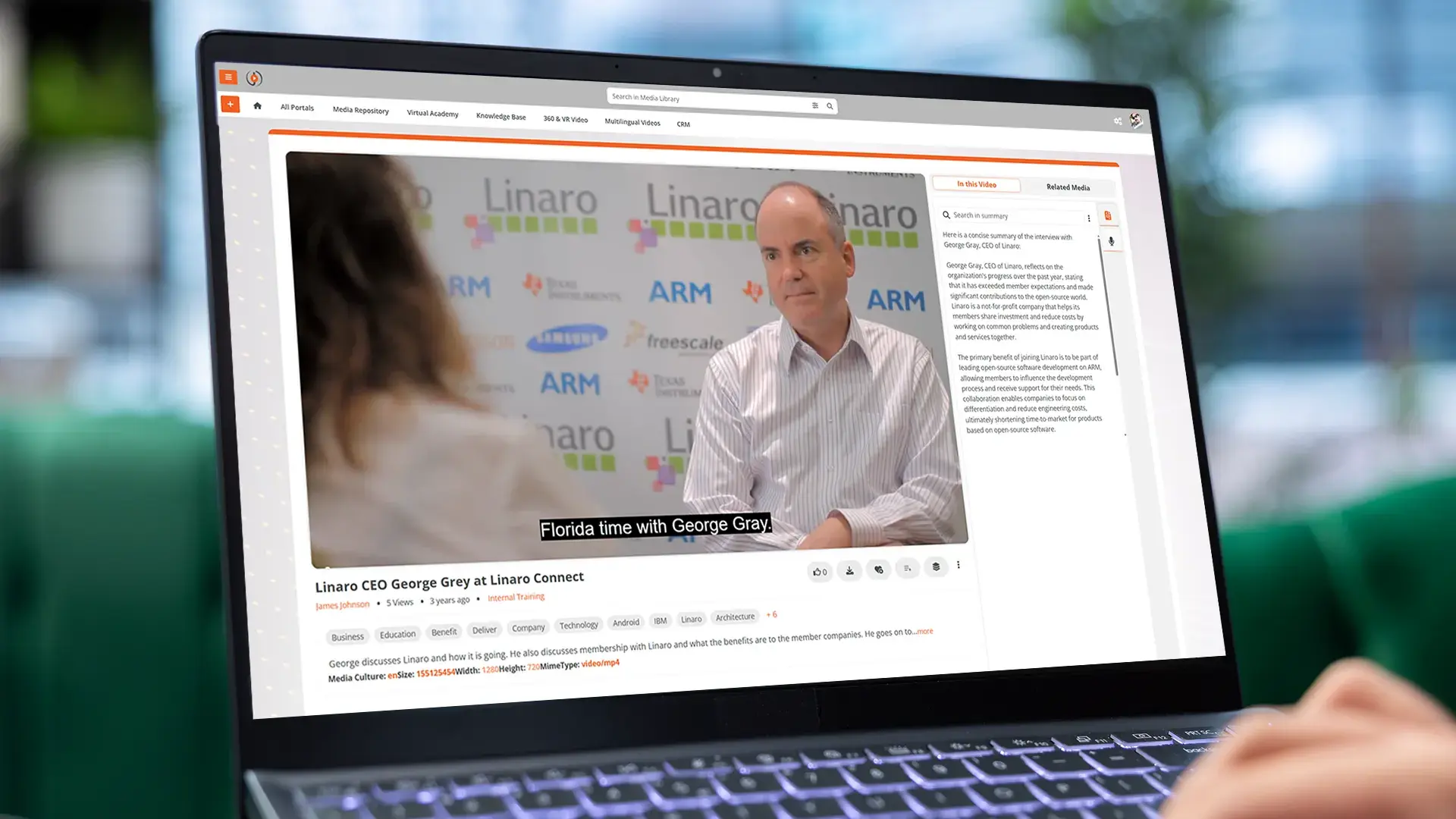
VOD streaming (video on demand streaming) is the delivery of pre-recorded video content to viewers whenever they choose to watch it, rather than at a scheduled broadcast time. For enterprise organizations, it has become the backbone of training programs, corporate communications, and knowledge sharing.
If your organization manages more than a handful of training recordings, executive messages, or product demos, you've likely already hit the limits of consumer-grade video tools. This guide covers how enterprise VOD streaming works, what separates it from consumer options, and how to evaluate the right solution for your team.
Why Enterprises Need a Dedicated VOD Platform
Consumer platforms like YouTube or Vimeo handle basic hosting well enough. But they fall short when your organization needs control over access, content organization, and data. Here is what separates enterprise VOD from consumer options:
- Access control: Enterprise platforms offer RBAC, SSO, and MFA. Consumer tools rely on simple password protection or public/private toggles.
- Branding: White-labeling, custom domains, and branded players keep your video portal looking like your organization, not someone else's.
- Compliance: Regulated industries (healthcare, government, financial services) need encryption, audit logs, and data residency controls that consumer platforms cannot provide.
- Analytics depth: Enterprise organizations need viewer-level engagement data, completion tracking, geographic breakdowns, and Quality of Experience metrics — not just total view counts.
- No ads: Consumer platforms subsidize infrastructure through advertising. Enterprise video should never interrupt a compliance training session with a car commercial.
The gap between consumer and enterprise VOD becomes obvious once a library grows past a few hundred videos. Finding specific content, managing department-level permissions, and proving training completion all require purpose-built tools. VIDIZMO EnterpriseTube is built for exactly these requirements.
Why Enterprises Need a Dedicated VOD Platform
Consumer platforms like YouTube or Vimeo handle basic hosting well enough. But they fall short when your organization needs control over access, content organization, and data. Here is what separates enterprise VOD from consumer options:
- Access control: Enterprise platforms offer RBAC, SSO, and MFA. Consumer tools rely on simple password protection or public/private toggles.
- Branding: White-labeling, custom domains, and branded players keep your video portal looking like your organization, not someone else's.
- Compliance: Regulated industries (healthcare, government, financial services) need encryption, audit logs, and data residency controls that consumer platforms cannot provide.
- Analytics depth: Enterprise organizations need viewer-level engagement data, completion tracking, geographic breakdowns, and Quality of Experience metrics — not just total view counts.
- No ads: Consumer platforms subsidize infrastructure through advertising. Enterprise video should never interrupt a compliance training session with a car commercial.
The gap between consumer and enterprise VOD becomes obvious once a library grows past a few hundred videos. Finding specific content, managing department-level permissions, and proving training completion all require purpose-built tools. VIDIZMO EnterpriseTube is built for exactly these requirements.
Adaptive Bitrate Streaming: Why It Matters
Adaptive Bitrate Streaming (ABR) is the most important technology behind reliable VOD delivery. It works by encoding each video at multiple quality levels and letting the player switch between them based on network conditions. Without ABR, a viewer on a slow connection gets constant buffering. With ABR, the player drops to a lower resolution temporarily, then scales back up when bandwidth improves.
For enterprise use, ABR matters because employees watch from wildly different environments. An engineer at headquarters might have 500 Mbps while a field technician might be on a 10 Mbps LTE connection. Strong enterprise platforms support 4K at the top end, scale down to mobile-friendly bitrates at the bottom, and let administrators configure custom transcoding profiles for their specific devices and networks.
Security Features Every Enterprise VOD Platform Needs
Security in enterprise VOD is not a single checkbox. A genuine platform layers multiple controls:
- Encryption: AES-256 at rest and TLS in transit protect content from interception.
- Authentication: SSO integration with Azure AD, Okta, Ping Identity, or any SAML 2.0/OAuth 2.0/OpenID Connect provider ties video access to existing employee credentials.
- Authorization: RBAC controls who can view, upload, edit, or manage content at the portal, collection, or individual video level.
- Geo-restriction and domain controls: Country-level access prevents unauthorized regional viewing; domain controls restrict where embedded videos appear.
- Audit logging: Detailed records of who viewed, shared, or modified content, with retention periods that satisfy regulatory requirements.
- Dynamic watermarking: Displaying the viewer's name or email on-screen deters unauthorized recording or redistribution.
For organizations in regulated industries, the platform should also support deployment on government cloud infrastructure for frameworks like FedRAMP High, CJIS, HIPAA, and NIST 800-53.
How AI Makes Large VOD Libraries Searchable
A video library with thousands of recordings is only useful if people can find what they need. Manual metadata tagging does not scale. AI-powered features change the equation entirely:
- Automatic transcription converts spoken content into searchable text across 80-plus languages.
- Semantic search understands intent, surfacing videos about new employee orientation even if no one used that exact phrase.
- Automatic chaptering breaks long recordings into navigable segments so viewers can jump to the relevant portion of a 90-minute town hall.
- Object and face detection makes visual content searchable without manual tagging.
- Summarization gives viewers a quick overview before they commit to watching a full video.
- Speaker diarization identifies who is speaking and when, enabling search by specific speakers across an entire library.
EnterpriseTube includes transcription across 82 languages, semantic search across transcripts and visual content, automatic chaptering, and object detection for faces, vehicles, license plates, and custom objects. These capabilities keep a library of thousands of videos navigable without requiring a dedicated team of content taggers.
VOD Streaming Analytics That Drive Better Decisions
Analytics separate enterprise video platforms from glorified file storage. The right metrics help L&D teams improve training, communications teams measure reach, and IT teams diagnose delivery problems.
Viewer engagement metrics track who watched what, for how long, and where they dropped off. Video heat maps show frame-by-frame engagement — which sections get rewatched, which get skipped, and where viewers lose interest.
Completion and compliance tracking logs individual viewer progress and ties it to quiz scores or certificate generation. SCORM 1.2/2004 integration makes this data portable to existing Learning Management Systems.
Quality of Experience (QoE) metrics — buffer ratios, player load times, error rates, and cache hit ratios — tell IT teams whether delivery infrastructure is performing. If employees in a specific office are experiencing poor playback, QoE data pinpoints whether the problem is bandwidth, CDN routing, or device compatibility.
Geographic and device analytics reveal regional engagement patterns and help prioritize mobile optimization. All data should be exportable for business intelligence tools, compliance audits, or executive reporting.
Deployment Options for Enterprise VOD
The right deployment model depends on your regulatory environment, IT infrastructure, and content sensitivity.
-
SaaS (shared cloud) is the fastest to deploy and carries the lowest infrastructure burden. It suits most organizations with standard security needs.
-
Dedicated cloud gives organizations an isolated, single-tenant environment with more control.
-
Government cloud via Azure Government Cloud supports FedRAMP High, CJIS, and IL4/IL5 deployments for federal, state, and defense agencies.
-
On-premises is the right choice for air-gapped networks and strict data sovereignty requirements, offering full control over data location at a higher infrastructure investment.
-
Hybrid combines cloud scalability with on-premises data control for organizations that have mixed requirements.
An enterprise Content Delivery Network (eCDN) with peer-to-peer edge caching is also worth evaluating. When thousands of employees watch the same town hall recording, an eCDN distributes the load across local network peers rather than pulling every stream from a central server, cutting WAN bandwidth consumption by 80% or more.
VOD Streaming Use Cases: Training, Communications, and Events
Training and Learning
Effective video-based training goes beyond uploading recordings. Look for in-video quizzes that test comprehension at key moments, handout attachments that supplement content, and learning paths that sequence videos into structured courses. SCORM compliance ensures training data syncs with your LMS, while LTI 1.3 integration lets you embed video courses directly in platforms like Canvas, Moodle, or Blackboard.
Corporate Communications
Executive town halls and company updates often start as live events but get their widest reach as VOD replays. The platform should automatically convert live streams into on-demand recordings with searchable transcripts. Multi-portal support lets organizations run separate branded portals for different divisions, regions, or audiences, each with its own content and access policies.
Virtual Events and Webinars
Post-event VOD access extends the life of every webinar and virtual event. Registration data, attendance tracking, and engagement analytics should carry over from the live event to the on-demand replay. Learn more about how EnterpriseTube handles enterprise events and webinars.
How to Evaluate an Enterprise VOD Streaming Platform
Use this checklist when comparing options:
- Format support: Can the platform ingest your existing content? Strong platforms accept 200-plus file formats without manual conversion.
- Resolution and ABR: Does it support 4K with adaptive bitrate streaming via HLS and MPEG-DASH?
- Security stack: SSO, MFA, RBAC, AES-256 encryption, TLS in transit, audit logging, geo-restriction. Verify deployment options for your compliance requirements.
- AI capabilities: Transcription language coverage, semantic search quality, automatic chaptering, and summarization determine how usable a large library is over time.
- Analytics: Viewer-level engagement, video heat maps, QoE metrics, and exportable reports.
- Learning features: In-video quizzes, SCORM support, LTI integration, and certification tracking.
- Branding: White-labeling, custom domains, branded players, and multi-portal support.
- Integrations: Connections to Teams, Zoom, Webex, your LMS, CRM, CMS, and analytics tools. See the full EnterpriseTube features overview.
- Deployment flexibility: SaaS, dedicated cloud, on-premises, hybrid, and government cloud.
- Accessibility: WCAG 2.2 AA compliance, Section 508 support, screen reader compatibility, and caption customization.
Weight each criterion based on your primary use case. A training-focused organization should prioritize SCORM, quizzes, and completion tracking. A communications-focused team should weight live-to-VOD conversion, branding, and analytics more heavily.
Request a demo of EnterpriseTube to see how an enterprise-grade VOD streaming platform handles your specific requirements.
Common VOD Streaming Challenges and How to Solve Them
Content discovery problems arise when employees cannot find what they need. The fix is a combination of AI-powered search and structured content organization using collections, channels, categories, and playlists. Manual tagging alone will not keep pace with a growing library.
Bandwidth constraints during simultaneous viewing of popular content strain corporate networks. An eCDN with peer-to-peer caching solves this by distributing the load locally. Custom transcoding profiles can also produce lower-bitrate variants optimized for bandwidth-constrained environments.
Content lifecycle management prevents outdated training videos and expired event recordings from cluttering the library. Automated lifecycle policies that archive, move, or delete content based on age and access frequency keep the library clean without manual intervention.
Measuring ROI is straightforward when viewer engagement data connects to business outcomes: training completion rates correlated with performance metrics, communication reach percentages across the organization, and QoE data that proves the infrastructure investment is delivering a good user experience.
Frequently Asked Questions
What is VOD streaming?
VOD streaming (video on demand streaming) is the delivery of pre-recorded video content that viewers can watch at any time, rather than at a scheduled broadcast time. Enterprise VOD platforms add security, analytics, and content management features on top of basic video delivery to support training, corporate communications, and compliance requirements.
How does VOD streaming differ from live streaming?
Live streaming delivers content in real time to all viewers simultaneously, while VOD streaming serves pre-recorded content on the viewer's schedule. Many enterprise platforms support both formats and can automatically convert live events into on-demand recordings for replay. VIDIZMO EnterpriseTube, for example, handles both live and VOD with automatic conversion and transcript generation.
What is adaptive bitrate streaming and why does it matter for VOD?
Adaptive bitrate streaming encodes video at multiple quality levels and lets the player switch between them based on the viewer's network conditions. This prevents buffering on slow connections while delivering full quality on fast ones. For enterprise VOD, ABR is essential because employees watch from a wide range of devices and network environments.
How does an enterprise VOD platform compare to YouTube or Vimeo?
Consumer platforms like YouTube and Vimeo lack enterprise-grade access controls, detailed viewer analytics, compliance certifications, white-labeling, and on-premises deployment options. Enterprise VOD platforms provide SSO, RBAC, audit logging, encryption, and integration with corporate tools like LMS and CRM systems. VIDIZMO EnterpriseTube adds AI-powered search across 82 languages, in-video quizzes, SCORM support, and deployment flexibility including government cloud and on-premises options.
What security features should I look for in a VOD streaming platform?
Essential security features include AES-256 encryption at rest, TLS encryption in transit, SSO with SAML 2.0 or OAuth 2.0, Multi-Factor Authentication, Role-Based Access Control, geo-restriction, domain controls, audit logging with multi-year retention, and dynamic watermarking. For regulated industries, verify that the platform supports deployment on infrastructure certified for your specific compliance framework.
Can VOD streaming platforms integrate with an existing LMS?
Yes. Enterprise VOD platforms typically support SCORM 1.2/2004 for packaging video as trackable learning objects and LTI 1.3 for embedding video directly in LMS platforms like Canvas, Moodle, D2L Brightspace, and Blackboard. This integration syncs completion data, quiz scores, and learner progress between the video platform and the LMS.
How do organizations handle VOD streaming for global audiences?
Global VOD delivery requires a CDN with edge servers distributed across regions, adaptive bitrate streaming that adjusts to varying international bandwidth, and multi-language support for transcription and subtitles. EnterpriseTube supports transcription in 82 languages with published accuracy benchmarks, along with CDN-based delivery optimized for global reach.
About the Author

Ali Rind
Ali Rind is a Product Marketing Executive at VIDIZMO, where he focuses on digital evidence management, AI redaction, and enterprise video technology. He closely follows how law enforcement agencies, public safety organizations, and government bodies manage and act on video evidence, translating those insights into clear, practical content. Ali writes across Digital Evidence Management System, Redactor, and Intelligence Hub products, covering everything from compliance challenges to real-world deployment across federal, state, and commercial markets.
Jump to
You May Also Like
These Related Stories

Secure Video Hosting: How to Protect Corporate Content in 2026
.webp)
Video Encoding Explained: How It Affects Streaming Quality and Storage


No Comments Yet
Let us know what you think