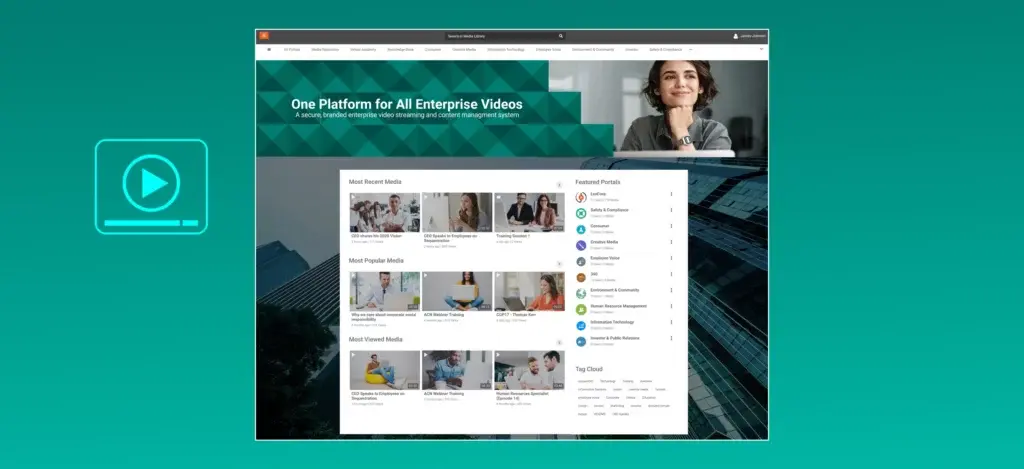
A video CMS (video content management system) is a platform that lets organizations upload, organize, store, search, and distribute video content from a single centralized library. Unlike consumer video hosts or generic file storage, a video CMS is purpose-built for managing video at scale, with features like metadata tagging, access controls, transcription, and analytics built into the workflow. EnterpriseTube is one example of an enterprise-grade video CMS built for organizations that need security, AI-powered search, and flexible deployment across cloud, on-premises, or hybrid environments.
If your team manages more than a handful of videos scattered across shared drives, learning platforms, and cloud folders, you already know the pain. Content gets lost. Permissions break. Nobody can find the training recording from last quarter. A dedicated video CMS solves these problems by design.
What Does a Video CMS Actually Do?
A video CMS handles the full lifecycle of video content, from the moment a file is uploaded to the point a viewer watches it on any device. It isn't just storage. It's an operating layer for every video your organization creates, receives, or archives.
Core functions include:
- Ingestion and transcoding: Accepting video in dozens of formats and converting it to web-friendly outputs automatically
- Organization: Categorizing content with metadata, tags, collections, playlists, and channels so teams can browse or search intuitively
- Storage management: Tiered storage (hot, warm, archive) that balances fast access with cost control over time
- Search and discovery: Full-text search across titles, descriptions, transcripts, and even spoken words within videos
- Access control: Role-based permissions that determine who can view, edit, publish, or delete specific content
- Delivery: Adaptive bitrate streaming that adjusts quality based on the viewer's bandwidth and device
- Analytics: Viewer engagement data, completion rates, geographic reach, and content performance metrics
Many platforms go further, adding AI transcription, automated captioning, in-video quizzes, live streaming, and integrations with tools like your LMS, collaboration suite, or identity provider.
EnterpriseTube, for example, supports 255+ ingestion formats, AI transcription in 82 languages with published word error rate (WER) benchmarks, and tiered storage with automated lifecycle policies for archival and deletion.
Why Do Organizations Need a Dedicated Video CMS?
Generic file storage wasn't built for video. SharePoint can hold MP4 files, sure. But it can't transcode them, search inside them, control who streams them, or tell you whether anyone actually watched. That gap costs organizations real time and money.
Research from Forrester has found that employees spend a significant portion of their week searching for information across enterprise tools. Video content is among the hardest to find because traditional search engines can't index what's spoken or shown inside a video file.
A video CMS closes that gap by making video content searchable, organized, and governed. Here's what that looks like in practice:
- Training teams can track which employees completed compliance videos and passed in-video assessments
- Corporate communications can measure how many people watched the CEO's quarterly town hall and where viewership dropped off
- IT departments can enforce SSO authentication, encryption standards, and geographic access restrictions on all video content
- Marketing teams can host branded video portals without third-party ads or watermarks
Without a purpose-built system, teams resort to workarounds: uploading to YouTube (public by default), emailing download links (no tracking), or dumping files into shared drives (no transcoding, no search). Each workaround introduces risk and friction.
How Is a Video CMS Different from YouTube or Vimeo?
Consumer platforms like YouTube and Vimeo were designed for public content distribution. They work well for that purpose. But enterprise video management has fundamentally different requirements.
| Capability |
Consumer Platforms |
Enterprise Video CMS |
| Access control |
Public/unlisted/private toggle |
Role-based permissions, SSO, MFA, IP restrictions |
| Branding |
Platform-branded player with ads |
White-labeled portals, custom CSS, vanity domains, no ads |
| Search |
Title and description only |
Full transcript search, AI-powered semantic search, metadata |
| Compliance |
Limited |
Encryption, audit logs, geo-restriction, retention policies |
| Analytics |
Views, likes, basic demographics |
Per-user engagement, video heat maps, completion tracking, QoE |
| Deployment |
SaaS only |
SaaS, on-premises, hybrid, government cloud |
| Integrations |
Limited API |
LMS (SCORM/LTI), SSO providers, CRM, collaboration tools |
The distinction matters most for regulated industries. Healthcare organizations bound by HIPAA can't host patient education videos on a public platform. Government agencies with FISMA requirements need audit trails and encryption standards that consumer tools don't offer.
Key Features to Evaluate When Choosing a Video CMS
Not all platforms are equal. When comparing options, focus on these categories rather than checking off feature lists blindly.
Content Organization and Metadata
Can you tag, categorize, and group videos into collections and channels? Does the system support custom metadata fields for your workflows? Flexible taxonomy matters more than you'd expect once your library grows past a few hundred assets.
AI and Automation
Automatic transcription, closed captioning, translation, and speaker identification save hours of manual work. If your organization operates globally, look for platforms that support multiple transcription languages. The number of supported languages varies widely across vendors, from under 10 to more than 80.
Security and Compliance
Encryption at rest and in transit should be standard. Beyond that, evaluate role-based access control (RBAC), single sign-on (SSO) support, multi-factor authentication (MFA), domain restrictions, and audit log retention. If you're in a regulated vertical, verify that the platform's deployment model supports your compliance framework.
Live Streaming
If your organization hosts town halls, training sessions, or webinars, you need built-in live streaming with chat, polls, Q&A, and automatic recording to on-demand. Check concurrent viewer limits. Some platforms cap at a few hundred; others support tens of thousands.
Learning and Training Support
For L&D teams, look for in-video quizzes, SCORM packaging, LTI integration with your LMS, completion certificates, and learning path creation. These features turn a video library into an actual training platform.
Analytics Depth
Basic view counts aren't enough. You need per-user engagement data, video heat maps showing where viewers rewatch or skip, geographic distribution, device breakdowns, and exportable reports. Good analytics tell you not just whether someone pressed play, but whether they actually paid attention.
Deployment Flexibility
Some organizations need SaaS for simplicity. Others require on-premises deployment for data sovereignty or air-gapped environments. The most flexible platforms offer SaaS, dedicated cloud, on-premises, private cloud, hybrid, and government cloud options.
How EnterpriseTube Handles Enterprise Video Management
EnterpriseTube is an AI-powered video CMS recognized by Gartner in the Enterprise Video Content Management category. It covers ingestion, transcoding, organization, delivery, analytics, live streaming, and learning within a single platform.
Capabilities that stand out for enterprise buyers:
- Multi-portal architecture: Run up to 8 independent branded portals (Ultimate tier) with separate users, content, and security policies from one instance
- AI transcription in 82 languages with published word error rate (WER) benchmarks, plus translation, speaker diarization, and semantic search
- Video heat maps: Frame-level analytics showing exactly where viewers rewatched, skipped, or dropped off
- SCORM 1.2/2004 and LTI 1.3 integration for direct LMS connectivity with platforms like Blackboard, Canvas, Moodle, and D2L Brightspace
- Enterprise CDN (eCDN) with peer-to-peer edge caching to reduce bandwidth strain during large live events
- WCAG 2.2 AA accessibility including screen reader support (JAWS, NVDA, VoiceOver, Narrator), keyboard navigation, and ASL picture-in-picture
For a complete feature breakdown by tier, visit the product features page.
Video CMS and Video Storage: How They Work Together
A common misconception is that a video CMS is just cloud storage for video files. Storage is one piece. The CMS layer adds intelligence on top.
Your cloud storage provider holds the bytes. The video CMS decides how those bytes get organized, who can access them, how they're delivered to viewers, and what happens to them over time. Automated lifecycle policies can move aging content from hot storage (fast, expensive) to archive storage (slow, cheap) based on rules you define. Content that hasn't been viewed in 12 months might automatically archive. Content flagged for deletion might purge after a retention period expires.
This matters for cost control. According to Gartner, unstructured data (including video) can grow 30 to 60 percent year over year in enterprise environments. Without lifecycle automation, storage costs balloon unchecked.
Common Mistakes When Selecting a Video CMS
Certain selection mistakes come up repeatedly across industries.
- Choosing based on consumer familiarity. "Everyone knows YouTube" isn't an enterprise strategy. Evaluate based on security, compliance, and governance needs first.
- Ignoring deployment requirements. If your security team requires on-premises hosting or government cloud, eliminate SaaS-only vendors early.
- Underestimating search needs. A library of 500+ videos without transcript-based search becomes a digital graveyard. Nobody will find anything.
- Forgetting about accessibility. WCAG 2.2 AA compliance isn't optional for government agencies and many enterprises. Verify before you buy.
- Treating analytics as a nice-to-have. If you can't prove that employees watched and understood training content, your compliance program has a gap.
Start Managing Video the Right Way
If your organization is still juggling video across shared drives, consumer platforms, and one-off tools, a dedicated video CMS brings order to that chaos. The right platform makes your content findable, secure, and measurable.
Talk to the EnterpriseTube team to see how an enterprise video CMS fits your organization's workflow, or explore the full feature set to compare capabilities against your requirements.




%20A%20Complete%20Overview.webp)

No Comments Yet
Let us know what you think