
by Rafay Muneer, Last updated: April 2, 2026

As organizational video libraries expand, finding a specific clip among hours of recordings becomes a daily struggle. Important moments are often hidden deep within long meetings, training sessions, or recorded presentations, making manual searching slow and frustrating.
Picture a training manager trying to locate a short compliance segment from a lengthy briefing. Without intelligent tools, they scrub through timestamps, rewatch entire portions, and still risk missing the exact moment they need. This challenge exists across every department—from HR to support to communications.
This is where AI video search changes everything. By analyzing speech, faces, objects, and on-screen text, AI video search allows you to pinpoint the exact moment you need within seconds. In this blog, we explore how AI search works inside your video library and why it’s becoming essential for organizations managing large volumes of video content.
information, according to IDC. When that information lives inside long, unindexed videos, the problem becomes even bigger. A training manager hunting for a compliance segment, or a support engineer trying to find a 20-second product demo clip, can waste hours scrubbing through footage.
This is where AI search transforms the game. Instead of manually jumping across timestamps, AI search helps you instantly locate the exact moment, face, phrase, or object you’re looking for inside your video library. In this guide, we explore how AI-powered video search works and how an enterprise video platform like EnterpriseTube makes finding clips fast, accurate, and effortless.
Why Traditional Search Fails for Organizational Video Libraries
Most organizations rely on basic titles, descriptions, and manually added tags to locate video content. While this helps categorize files, it does nothing to expose what actually happens inside the video. A 60-minute town hall, a multi-hour training module, or a customer support recording may share similar keywords yet contain completely different information.
This becomes a problem because traditional search engines cannot understand visuals, voices, or context within the recording. Employees often don’t remember exact file names, and metadata rarely captures every topic, person, or object discussed. As a result, users spend unnecessary time scanning through videos just to find a single clip.
Traditional search falls short simply because videos are unstructured content. Unless indexed intelligently, their most valuable information stays hidden. This gap is exactly what AI video search is designed to solve.
How AI Video Search Works Inside Your Video Library
AI video search unlocks the content within your recordings by automatically analyzing and indexing everything that appears or is spoken inside the video. Instead of relying on a title or a few tags, AI breaks the video down into searchable layers, making every moment discoverable.
Spoken Word Search
AI converts every spoken phrase into searchable text, creating a transcript that maps directly to timestamps. Users can type a word or sentence and jump instantly to the exact moment it was spoken.
Facial Recognition
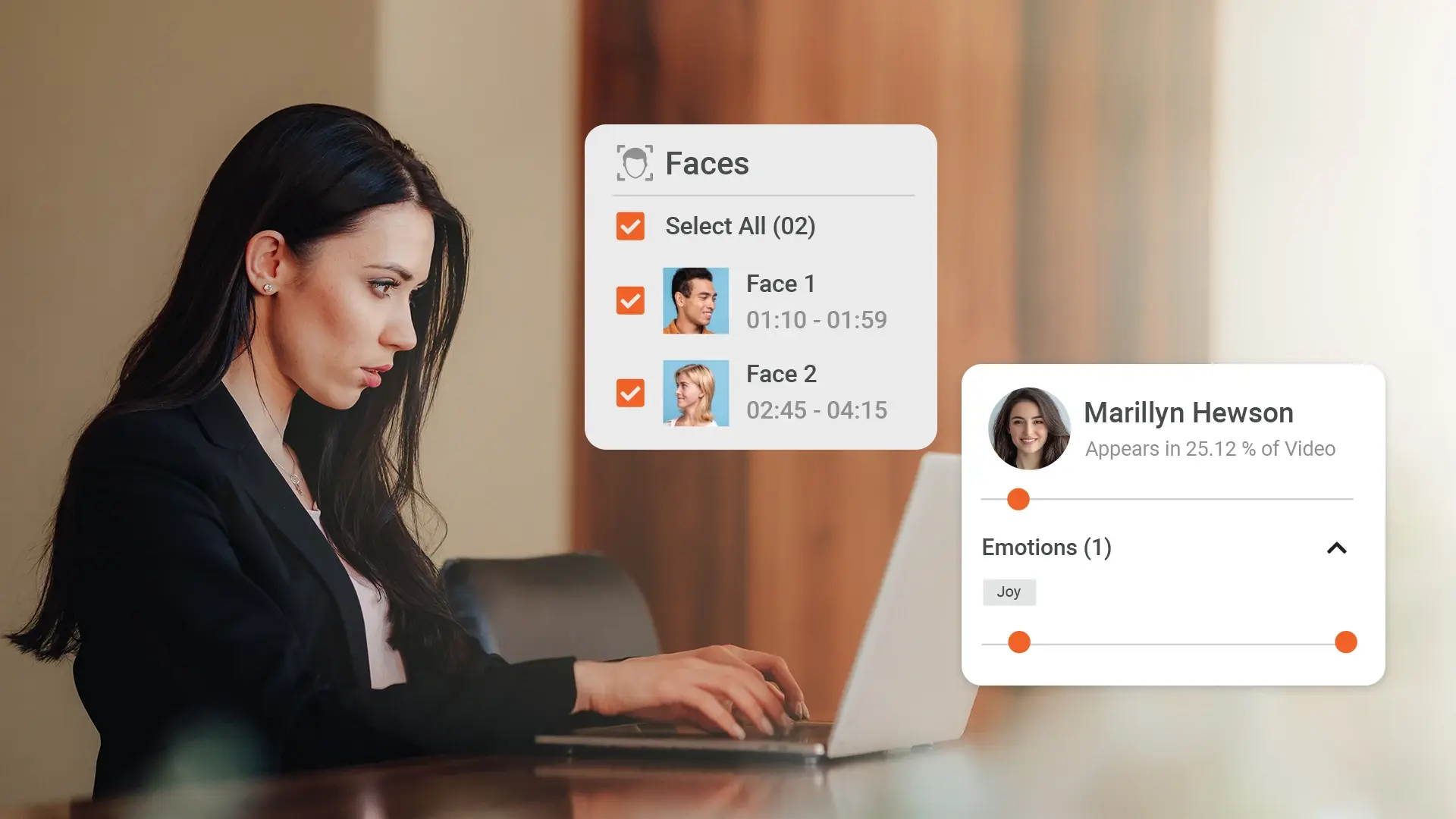
AI identifies people appearing in recordings. Searching a leader, trainer, or subject matter expert brings up all videos—and all timestamps—where they appear.
On-Screen Text Detection
Slides, documents, dashboards, and written labels become searchable through OCR. This helps teams locate key moments from presentations, demos, and training sessions.
Object and Scene Detection
AI scans visuals frame by frame to detect products, tools, environments, or actions. This is especially useful for engineering, manufacturing, or support workflows.
Semantic Understanding
AI understands intent, not just exact words. A search for “project goals” may still surface clips where the speaker said “targets for this initiative,” providing more accurate results.
Benefits of Using AI Video Search to Find Clips
AI video search does more than make content easier to locate—it fundamentally improves how teams work with video across the organization. By finding the exact moment you need in seconds, it eliminates the inefficiencies that come with manual scrubbing and guessing timestamps.
Faster Content Discovery
Teams can instantly jump to the relevant moment inside any video—saving hours otherwise spent navigating long recordings.
More Effective Training and Onboarding
Learning and development teams easily extract short, focused clips from longer sessions to build microlearning modules, refreshers, and assessments.
Reduced Content Duplication
Employees no longer re-record material simply because they couldn’t find existing footage. AI search surfaces all relevant clips, preventing repetitive work.
Improved Compliance and Audit Readiness
Compliance officers can quickly retrieve moments where policies, procedures, or regulatory topics were discussed, helping them meet deadlines and avoid oversight risks.
Enhanced Productivity Across Departments
Whether it's HR looking for a specific interview segment, support teams retrieving troubleshooting clips, or communications extracting leadership messages, AI video search ensures everyone gets to the right moment fast.
How AI Video Search Supports Different Teams in Your Organization
The impact of AI video search extends far beyond faster retrieval. Different teams across the organization use video in unique ways, and AI makes it easier for each one to find and repurpose the moments that matter.
Training and Learning Teams
Learning teams frequently need short instructional moments buried inside longer training sessions. AI video search helps them instantly locate the right segment, trim it into a microlearning clip, and reuse it across courses, LMS modules, and onboarding paths.
Corporate Communications
Communications teams often look for leadership messages, company announcements, or recurring themes from past events. AI video search surfaces all relevant clips featuring specific speakers or topics, enabling them to create concise, high-quality internal or external content.
Customer Support and Product Teams
Support teams use video to assist customers with troubleshooting, product walkthroughs, and feature explanations. Instead of replaying long recordings, they can search by phrases, objects, tools, or screens to extract the exact clip needed for a solution article or customer response.
Compliance, Legal, and Security Teams
Compliance teams must find sensitive or regulated segments quickly. AI video search helps them retrieve discussions about policies, risks, or procedures without manually scanning hours of footage. This reduces audit time and strengthens documentation accuracy.
Practical Ways to Use AI Video Search to Find Clips
AI video search works best when users know how to take advantage of its different indexing layers. Here are some of the most common and effective ways teams use it to locate clips quickly.
Search by Keywords
Users can type any word or phrase—such as “safety procedure,” “customer escalation,” or “budget update”—and instantly jump to the timestamp where it was spoken.
Search by People
If someone needs every clip featuring a specific trainer, executive, or expert, AI search brings up all relevant videos and highlights the moments where that person appears.
Search by On-Screen Text
Slides, documents, dashboards, and diagrams often contain the exact information users remember. OCR makes that text searchable, helping teams find the presentation moment they need.
Search by Objects or Visual Elements
From product models to tools used during demonstrations, AI can identify objects in the frame and surface clips where they appear—useful for engineering, manufacturing, and support teams.
Search by Concept
With semantic understanding, users don’t need exact phrasing. A search for “new policy changes” may find moments where the speaker said “updates to our guidelines,” helping retrieval even when wording differs.
These search methods make it far easier for users to locate meaningful clips without rewatching full recordings, improving speed, accuracy, and efficiency across workflows.
Why EnterpriseTube Makes AI Video Search Even More Powerful
While many platforms offer basic search, EnterpriseTube is built for organizations that rely on video for training, communication, support, and compliance. Its AI capabilities go beyond simple transcripts to deliver precise, enterprise-grade search across your entire video library.
Automatic AI Indexing for Every Video
When you upload a video, EnterpriseTube automatically generates transcripts, detects faces, recognizes objects, and extracts on-screen text. This makes every moment searchable without any manual tagging.
Timestamp-Level Accuracy
Search results don’t just return full videos—they show exact timestamps. Users can jump directly to the relevant moment, making clip retrieval fast and frictionless.
Instant Clip Creation
Once a user finds the right moment, EnterpriseTube allows them to trim and save a short clip instantly without relying on external editing tools.
Secure, Governed Access
Every search result respects user permissions. Viewers only see content they are authorized to access, ensuring compliance with internal policies and regulatory requirements.
Integrated AI Search + RAG Chatbot
EnterpriseTube also includes an AI assistant powered by retrieval-augmented generation (RAG). Users can ask natural-language questions like “Show me the clip where the presenter explains the new approval workflow,” and the chatbot retrieves exact moments from across the video library. This gives teams a conversational way to access video knowledge—without even typing keywords or scanning results.
Seamless Integration with Enterprise Tools
Whether teams use MS Teams, SharePoint, learning platforms, or content management systems, clips can be shared or embedded directly while preserving access governance.
EnterpriseTube turns AI video search into an everyday productivity tool, combining precise indexing with conversational retrieval to make video knowledge instantly accessible across the organization
Key Takeaways
-
Traditional video search relies on titles and manual tags, leaving most in-video content hidden and hard to find.
-
AI video search indexes speech, faces, objects, scenes, and on-screen text to help users locate exact moments within seconds.
-
Different teams—from training to compliance to customer support—benefit from faster clip retrieval and improved knowledge reuse.
-
Practical search methods such as keyword search, people search, OCR, and semantic search make everyday workflows more efficient.
-
EnterpriseTube enhances discovery through automatic AI indexing, precise timestamp results, instant clip creation, and secure access controls.
-
With its integrated AI Search + RAG chatbot, EnterpriseTube allows users to ask natural-language questions and retrieve clips conversationally.
-
AI-powered search transforms video libraries from passive storage into an active, accessible knowledge system for the entire organization.
Making Clip Discovery Faster with AI Video Search
AI video search removes the guesswork from navigating long recordings. Instead of scrubbing through hours of content, teams can jump directly to the exact moment they need—whether it’s a spoken explanation, a slide, a product demo, or a compliance-related discussion. This leads to faster decisions, better training content, and more efficient knowledge sharing across the organization.
EnterpriseTube combines powerful AI indexing with conversational retrieval through its RAG chatbot, giving users multiple ways to find clips quickly and accurately. With secure governance and built-in clip creation, it becomes a complete solution for organizations that depend on video.
If you’re ready to make your video library easier to search, reuse, and navigate, start exploring EnterpriseTube or request a free trial today.

About the Author
Jump to

How AI Meeting Transcription and Summarization Helps Organizations
How Businesses Use AI to Get Value From Hours of Enterprise Video


No Comments Yet
Let us know what you think