
by Rafey Iqbal, Last updated: June 24, 2026

Have you ever been frustrated by your livestream buffering? You’re not alone because buffering is one of the most common issues in video streaming. It’s not just annoying for viewers, but it can also cause them to leave your stream entirely.
This can happen to anyone. It could be that your audience has been waiting for your event, whether it’s a training session, a product launch, or an important announcement. The moment your stream starts to buffer, you risk losing them. Once they leave, it’s hard to bring them back.
This is a problem that doesn’t just affect casual viewers. If you're using video for business purposes, like training employees or sharing company updates, buffering can affect how well your messages are received. Your audience might not get the full benefit of your content, which means your time and effort in planning your stream could be wasted.
But don't worry, there's a solution. One way to make sure your stream runs smoothly and your viewers stay engaged is adaptive bitrate streaming.
In this blog, we'll explain what adaptive bitrate streaming is, how it works, and why it’s the best way to avoid buffering and ensure a great experience for your audience.
So, without making you wait any further, let’s get started with what adaptive bitrate streaming is.
What is Adaptive Bitrate Streaming?
Adaptive bitrate streaming, or ABR streaming for short, refers to the video streaming technology for both live and on-demand streaming. The adaptive bitrate video streaming technology allows you to deliver video content to your audience with varying Internet connection speeds and bandwidth.
One of the main goals of adaptive bitrate streaming is to accommodate everyone. Take the example of footwear stores. They offer the same design in different foot sizes so that they can accommodate the store visitors and enhance their experience.
Similar is the case with adaptive streaming. By creating different renditions of the same video, you can accommodate different viewers and enhance their streaming experience. This way, you can ensure that your viewers remain hooked to your stream no matter whether the Internet is acting up or not. What a relief!
Adaptive Streaming vs Adaptive Bitrate Streaming
Adaptive streaming is a broad term used to describe video delivery methods that adjust playback behavior based on network conditions. Adaptive bitrate streaming is the most common and practical implementation of adaptive streaming.
When people search for adaptive streaming, they usually mean:
-
Automatic video quality adjustment
-
Multiple video renditions
-
Reduced buffering
-
Support for HLS or MPEG DASH
In practice, adaptive streaming almost always refers to adaptive bitrate streaming.
How does ABR improve video playback?
Adaptive bitrate streaming (ABR) helps give you the best video experience by checking your internet connection all the time.
Because your internet speed can change because of things like the weather, moving around, or weak Wi-Fi, ABR helps your viewing experience by letting the video player switch to different versions and adjust the video quality to match your internet speed so it plays smoothly.
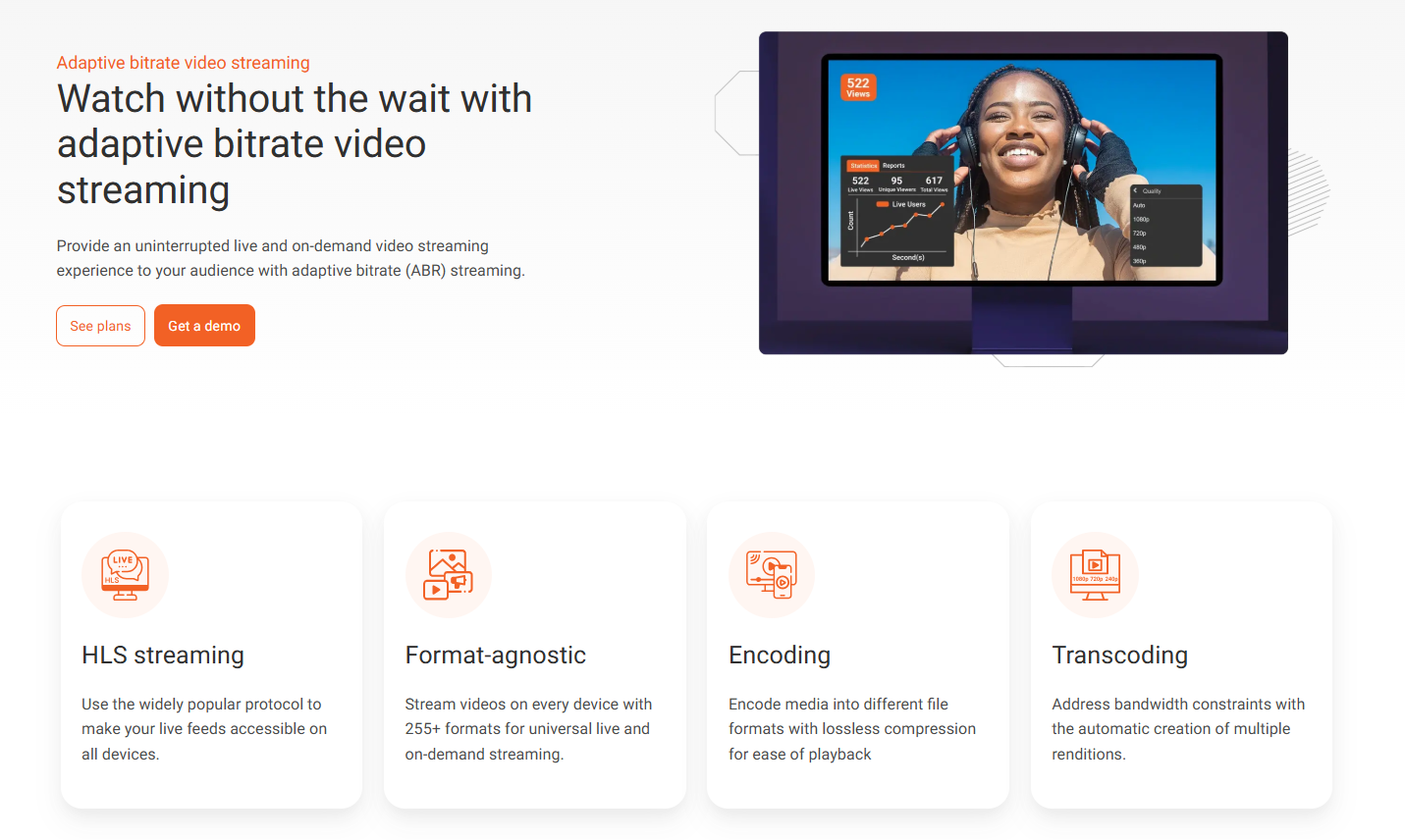
All major video content management platforms, such as YouTube, Vimeo, and EnterpriseTube, provide adaptive bitrate video streaming!
Now, let’s look at what a video bitrate is to understand the nitty-gritty of adaptive bitrate video streaming.
What Does Bitrate Mean in Adaptive Bitrate Streaming?
Since you are reading this blog, you are using the Internet that is serving you this content on your device. The Internet plan you’re currently using advertises a certain speed, shown in Mbps. This speed refers to the bitrate in the context of the traditional Internet.
When it comes to adaptive bitrate streaming, the bitrate has a slightly different concept. As far as a video bitrate is concerned, it refers to the speed at which the video content is being delivered to the viewers’ devices. A video bitrate is usually shown in kilobits per second (Kbps) or megabits per second (Mbps).
Let us dive into more detail regarding video bitrate by uncovering what affects the bitrate in adaptive streaming.
What Affects Video Bitrate?
Several factors affect video bitrate in adaptive bitrate streaming. This, in turn, affects the quality of the video. These factors are mentioned as follows:
- Video resolution
- Frame rate
- Video codecs
Video Resolution
Remember the time when watching a video in 720p felt all right? Well, those days are gone since better resolutions have now been introduced for high-quality video streaming, such as 1080p, 1440p, and 1920p.
You might be wondering how video resolution affects video bitrate. Well, both have a directly proportional relationship. This means that the higher the resolution, the greater the bitrate would be. After all, it takes more power (and speed) to deliver an ultra-HD video (1920p) than a full-HD video (1080p).
Frame Rate
Usually, videos are streamed at 30-60 frames per second (FPS) for smooth playback. Like video resolution, frame rates have a direct relationship with the video bitrate.
Videos also offer frame rates greater than 60 FPS, such as 90 FPS, 120 FPS, and 144 FPS. However, it should be kept in mind that most devices do not support higher frame rates. Enhancing the video quality at the expense of the audience reach is not a wise move. Hence, you should always keep your frame rates optimal so that most devices can be catered to.
Video Codecs
Like a typical encoder, video codecs convert the video content into different file formats, making it playable on most devices. Apart from this, they also compress the video. This compression can be lossy or lossless, depending on the codec being used. For instance, MPEG-2 involves lossy compression, while its successor, MPEG-4, involves lossless or lossy compression.
When it comes to adaptive bitrate streaming, not all video codecs can support it. For instance, MPEG-2 is not well-suited for compression as it has a low compression ratio. This is why choosing the right video codec is essential for ensuring adaptive bitrate video streaming.
Naturally, video codecs with high compression ratios are well-suited for ABR streaming. Let us explore different codecs that support adaptive streaming in the later section.
Video Codecs that Support Adaptive Bitrate Streaming
Since video codecs are one of the most critical factors impacting the video bitrate, exploring adaptive streaming-friendly video codecs warrants a dedicated section. The following are the video codecs that support adaptive bitrate streaming:
- H.264
- H.265
- VP9
- AV1
H.264
H.264 is also known as MPEG-4 Part 10 or AVC (Advanced Video Coding). The H.264 video codec is a compression-efficient video compression standard that can at least achieve a compression ratio of 300:1, making it suitable for adaptive bitrate live streaming. In fact, it is one of the most used video codecs despite the availability of better codecs that offer greater compression quality.
H.265
H.265, or High Efficiency Video Coding (HEVC), is another video compression standard that has emerged as a better counterpart to H.264. The enhanced compression quality makes it more suitable for 4K video streaming. However, even though it’s better than H.264, it is still not widely adopted. The primary reason is that it requires more processing power than H.264. Another point is that it takes more time to encode videos than H.264.
VP9
Developed by Google, the VP9 video codec is an open-source video compression standard that competes with H.265 in terms of compression quality. However, one thing that makes it distinct from H.265 is that VP9 has found wide acceptance among web browsers due to its being open-source and royalty-free. In fact, even Apple devices support the Google video codec.
AV1
AV1 is short for Alliance for Open Media Video 1. It is an advanced video codec that even outperforms VP9, making it the most compression-efficient video compression standard and, on the flip side, the slowest to encode video content.
Adaptive Bitrate vs. Multi-bitrate vs. Progressive Streaming
Both adaptive bitrate streaming and multi-bitrate streaming offer multiple video bitrates for streaming both live and on-demand video content. However, there is a minor difference between the two modes of video streaming. And this minor difference can cause a significant variation in the viewer's experience.
With multi-bitrate streaming, users have the flexibility to choose from different video bitrates, depending on their Internet speed and connection quality. On the other hand, adaptive streaming takes the manual work out of selecting the video bitrate and automatically ‘adapts’ to the viewer’s Internet connection.
This allows for an enhanced viewer experience since users with both limited and high Internet bandwidth can stream videos without worrying about having to change the video bitrate manually.
Now, let's talk about progressive streaming.
Progressive streaming is a form of video streaming that serves the same video file to any device used to stream the video content, regardless of the Internet speed and bandwidth limitations. You can think of it as a one-size-fits-all approach that does not accommodate different viewers. This can negatively impact the viewer’s experience.
For instance, if you decide that the video should be served with 1080p quality, your viewers who carry devices that can only stream videos up to 720p won’t be able to successfully stream your video content, as it may lead to buffering issues in on-demand videos, as well as occasional stops in a good live stream video.
On the other hand, adaptive bitrate video streaming offers a tailored approach to video streaming as it accommodates all viewers with varying Internet speeds. In contrast to progressive streaming, it creates a viewer-friendly video experience and a greater audience reach.
How ABR Streaming Works?
Adapting to the right video bitrate depending on the viewer’s Internet connection limitations takes an extensive process. Once you upload the video, it goes through several steps so that it can cater to all viewers by offering an adaptive streaming experience. The following steps highlight how ABR streaming works:
- Preparing the video
- Creating the manifest file
- Streaming with dynamic playback
- Monitoring the viewer’s network
- Selecting an adaptive bitrate
Preparing the Video
The first and foremost step of adaptive bitrate streaming involves the preparation of the video. This step further consists of two stages, namely encoding and transcoding. We have discussed these stages in detail as follows:
Encoding: Whenever you upload a raw video file, it is not suitable for streaming, especially if the video has a large file size. Moreover, in certain cases, your video file has a specific file format that your viewer's device might not necessarily support.
For instance, if you are an Apple user, you would have uploaded the video in M4V format. Now, think of most of your audience who have an Android device that they will be using to stream your video content. They won’t be able to stream M4V video content on their devices.
This is where encoding helps. It serves a two-fold purpose. The first is compressing the video so that it can stream smoothly. Modern encoders use lossless video compression techniques and algorithms that reduce the file size while keeping the video quality intact.
The other purpose is to ensure that the video content can be streamed on all devices. This is done by converting the video file format into multiple formats for universal streaming and playback.
Transcoding: In the second stage of video preparation for adaptive streaming, transcoding takes place. Transcoding refers to the process of creating multiple renditions of the encoded video file. For instance, the transcoder will create 240p, 360p, 480p, and 720p versions of the 1080p video.
These renditions play a crucial role in adaptive bitrate streaming as the streaming technology enhances the viewer’s experience by adapting to the viewer’s Internet connection speed by automatically switching among these renditions.
Creating the Manifest File
In the previous section, we talked about ABR streaming adjusting to the viewer’s Internet bandwidth by automatically switching among different renditions created. A manifest file helps in doing this.
A manifest file is also known as an M3U8 file or a playlist file since it involves combining different renditions in a single text file (manifest file). This manifest file contains the stream metadata, such as the location of the video files, so that the player can locate them.
Streaming with Dynamic Playback
Once the manifest file is created, the player starts streaming the live or on-demand video content at the lowest possible bit rate. Think of it as the video player warming itself up for the entire streaming. Once the video streams further, the player adjusts the video quality according to the Internet bandwidth.
Monitoring the Viewer’s Network
The adjustment of the video bitrate is done by constantly monitoring the network over which the viewer is streaming the video. Factors such as the download speed and the buffer rate are analyzed to determine the viewer's Internet connection quality.
Selecting an Adaptive Bitrate
As the video player continuously monitors the viewer’s network, it automatically decides what bitrate to choose based on the Internet connection quality. This helps in ensuring a smooth, uninterrupted playback experience with minimal buffering issues.
Protocols that Support Adaptive Bitrate Streaming
Recall that not all codecs support adaptive bitrate streaming. Similarly, not all streaming protocols gel with adaptive bitrate video streaming. This is why we will cover the protocols that support ABR streaming in this section:
- HLS
- MPEG-DASH
- Microsoft Smooth Streaming (MSS)
- WebRTC
HLS
HLS stands for HTTP Live Streaming and refers to a video streaming protocol developed by Apple. As the name indicates, it uses the Internet’s most loved HTTP protocol to stream video content. As a matter of fact, HLS is the most used protocol for ABS streaming. However, the problem with HLS is that it has high latencies of up to 45 seconds, which makes it unsuitable for video streams where audience interactivity and engagement are a must.
MPEG-DASH
MPEG-DASH, which is short for Moving Picture Experts Group – Dynamic Adaptive Bitrate Streaming over HTTP, is another protocol that supports ABR streaming. This makes it the second most sought-after protocol for adaptive bitrate video streaming. Both HLS and MPEG-DASH use the HTTP protocol to stream video content. However, MPEG-DASH is an open-source protocol, while HLS is a proprietary one.
Microsoft Smooth Streaming (MSS)
Microsoft launched its ABS streaming protocol for streaming video content around the time Apple came up with HLS. Like HLS, MSS is also based on the widely popular HTTP protocol. Despite the HTTP factor, Microsoft Smooth Streaming is not as popular as its counterparts.
WebRTC
WebRTC is another popular video streaming protocol. Not only does it support adaptive bitrate streaming, but it also offers low-latency streaming. However, on the flip side, it has scalability issues, making it unsuitable for live streaming to a large audience. With that said, you can use WebRTC to stream video content that does not need much scalability and a large audience to engage.
Benefits of Adaptive Bitrate Streaming
The following are some of the benefits that adaptive bitrate streaming has:
- Improved stream quality
- Minimal buffering
- Less load time
- Increased audience engagement
- Compatibility with CDNs
Improved Stream Quality
One of the prominent benefits of adaptive streaming is that it offers enhanced video streaming quality for both live and on-demand video content. By adapting to the viewer’s Internet connection speed and switching to multiple renditions, adaptive bitrate streaming ensures that no viewers are left out and lets them be a part of the video experience.
Minimal Buffering
With ABS streaming, your viewers get to experience minimal buffering issues, thereby making the streaming experience smooth for them. Due to this, viewers are not frustrated, thereby resulting in positive outcomes, such as the audience engaging with your content, leading to an increase in revenue, or the fulfillment of other business goals.
Less Load Time
As we mentioned earlier in this blog, in the case of adaptive bitrate streaming, the video player starts streaming the video at the lowest possible bitrate. This means that it takes less time for the video to load, which also contributes to a great viewer experience since a video taking longer to start will leave the viewers anxious and frustrated.
Increased Audience Engagement
Since adaptive bitrate video streaming caters to an extremely large audience, regardless of their Internet bandwidth and speed limitations, it helps in creating more engagement with the viewers. The more the reach, the greater the chances of your viewers engaging with your enterprise video content. It's as simple as that.
Compatibility with CDNs
Adaptive bitrate streaming easily couples with content delivery networks (CDNs). This allows adaptive streaming to reach a global, scattered audience. This way, you can ensure that not only does your stream adapt to different Internet speeds, but it can also reach a large number of viewers at scale. Read our blog on CDN video streaming.
Adaptive Bitrate Streaming in Enterprise Video Platforms
Enterprise video platforms use adaptive bitrate streaming to deliver reliable playback across offices, regions, and device types. Features such as bitrate ladders, codec selection, CDN integration, and analytics work together to optimize viewing quality.
Platforms such as EnterpriseTube apply adaptive bitrate streaming for both live and on demand enterprise video use cases.
Adaptive Bitrate Streaming with EnterpriseTube
EnterpriseTube is an AI-powered enterprise video content management system that supports adaptive bitrate streaming for both live and on-demand video content. The leading enterprise video platform also supports major CDNs, such as Akamai, Fastly, Microsoft Azure CDN, Amazon CloudFront, etc., that enhance the viewer experience and increase audience outreach.
Deliver Quality with Adaptive Bitrate Streaming
Buffering is one of the biggest challenges when live streaming or watching videos online. It frustrates viewers and often drives them away. Adaptive bitrate streaming (ABR) solves this problem by adjusting video quality in real time, ensuring a smooth and uninterrupted viewing experience regardless of internet strength.
With ABR, you can expand your reach, keep audiences engaged, and deliver content in the best possible way. It enhances video quality, reduces load times, and works seamlessly with content delivery networks (CDNs) to scale streams globally..
Interested in experiencing adaptive streaming yourself? Why not sign up for a 7-day free trial? No credit card required.

You can also choose to book a demo with our team to see adaptive bitrate streaming in action. So, why wait?
About the Author

Jump to

How to Prevent Live Streaming from Slowing Down
Top Live Streaming Platform Features to Consider in 2025


No Comments Yet
Let us know what you think